How to take screenshots in the VLC media player?
Aug. 1, 2024 • 1 min read

Hey guys, we will see how to take screenshots in the VLC media player in this article.
By default, the VLC media player does not enable this feature.
You need to enable this manually. To enable the screenshot feature, follow the mentioned steps.
- Open any video using a VLC media player.
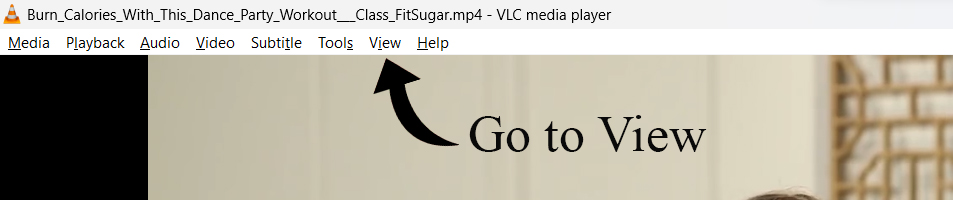
- Go to View.
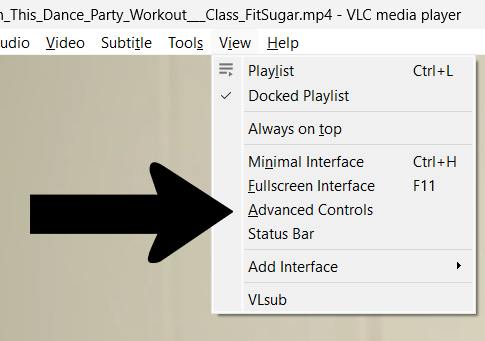
- Then click the “Advanced Control”.
- After clicking this, you will see the additional controls at the bottom of the area.
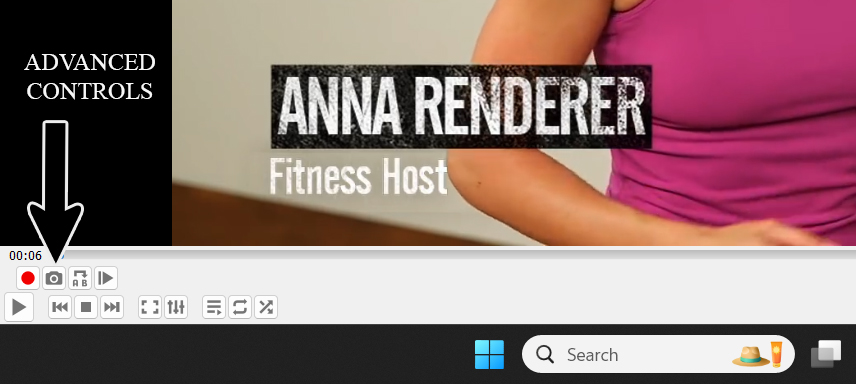
- Click the camera icon to take a video snapshot. It will save the snapshot to the “my documents” folder.
That’s it, guys, In this way, you can take a snapshot of any video using VLC Media Player.
No Comments Available..