How to download instagram reels using telegram

Hey guys in this tutorial we going to see how to download a instagram reels using telegram.
1) To begin with, you'll need a Telegram app and account (you need to be logged in to the telegram app).
2) Secondly, you need an Instagram account.
3) Go to the reels you wish to download. Click the share icon.
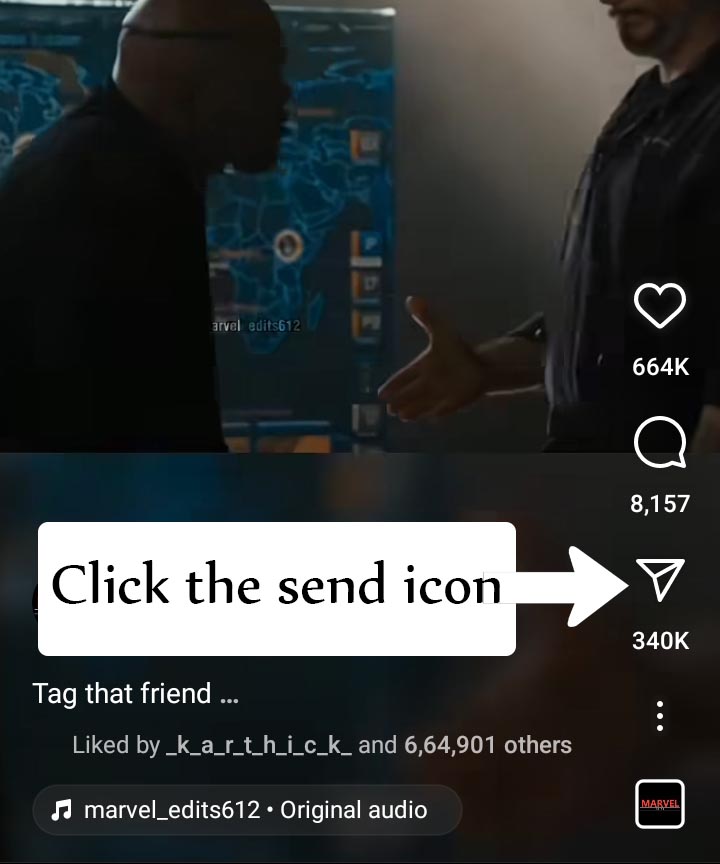
4) Then click the "Copy Link" icon.

(The link to the reels will now be copied.)
4) Open the Telegram app now.
5) Open any chat box (I recommend opening a saved messages).
6) Paste the reel URL into the message typing section.
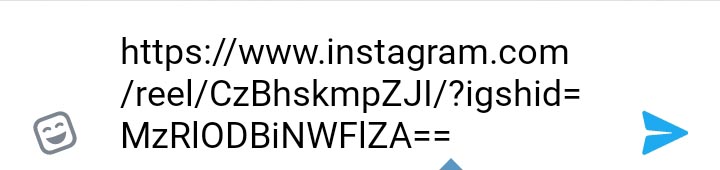
7) Before instagram.com, put "dd". Then wait and click the send button if you see the reels preview.

8) The download option is now visible at the left top of the video. click the "Download" icon. Once the download is finished, click the play button.
9) In the video, click the three dots in the top right. Then click the "Save to Gallery".


10) The Instagram reels video will be saved to your smartphone storage after you click the "save to gallery" button.
That's it guys.
Category: Instagram Tags: #Instagram,
No Comments Available..