How to enable Google chat on Gmail.
Dec. 1, 2023 • 1 min read
Hey guys, in this tutorial we will guide you to enable Google chat on Gmail (for desktop version).
1) Open gmail.com in your browser. ( you must be logged in to your Google account.)
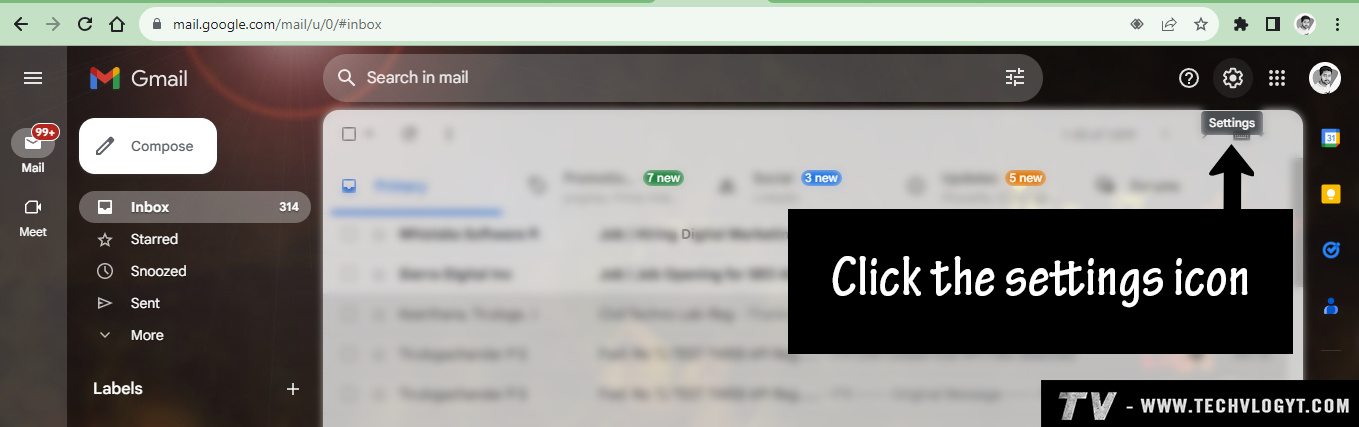
2) Click the setting icon on the top right corner.
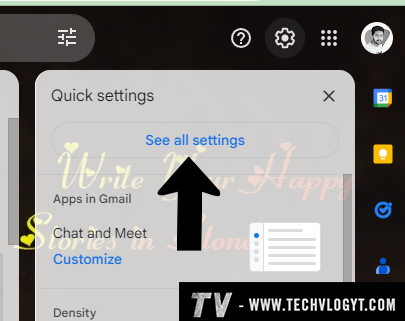
3) Then click "see all settings".
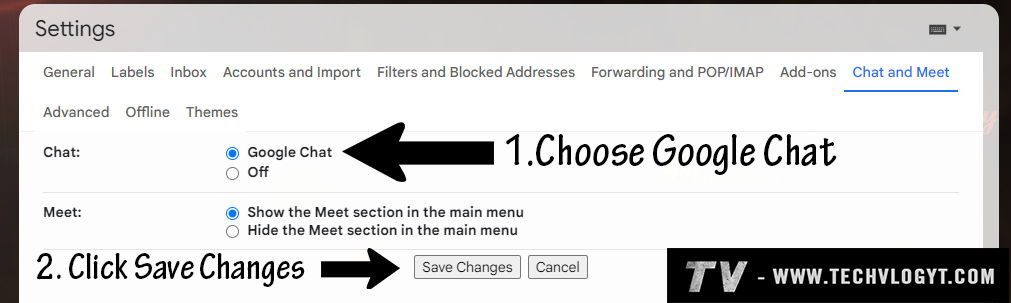
4) Click the "Chat and Meet".

5) Now choose Google Chat. Then click the "save changes" button.
6) It will save your updated settings and refresh the page automatically.
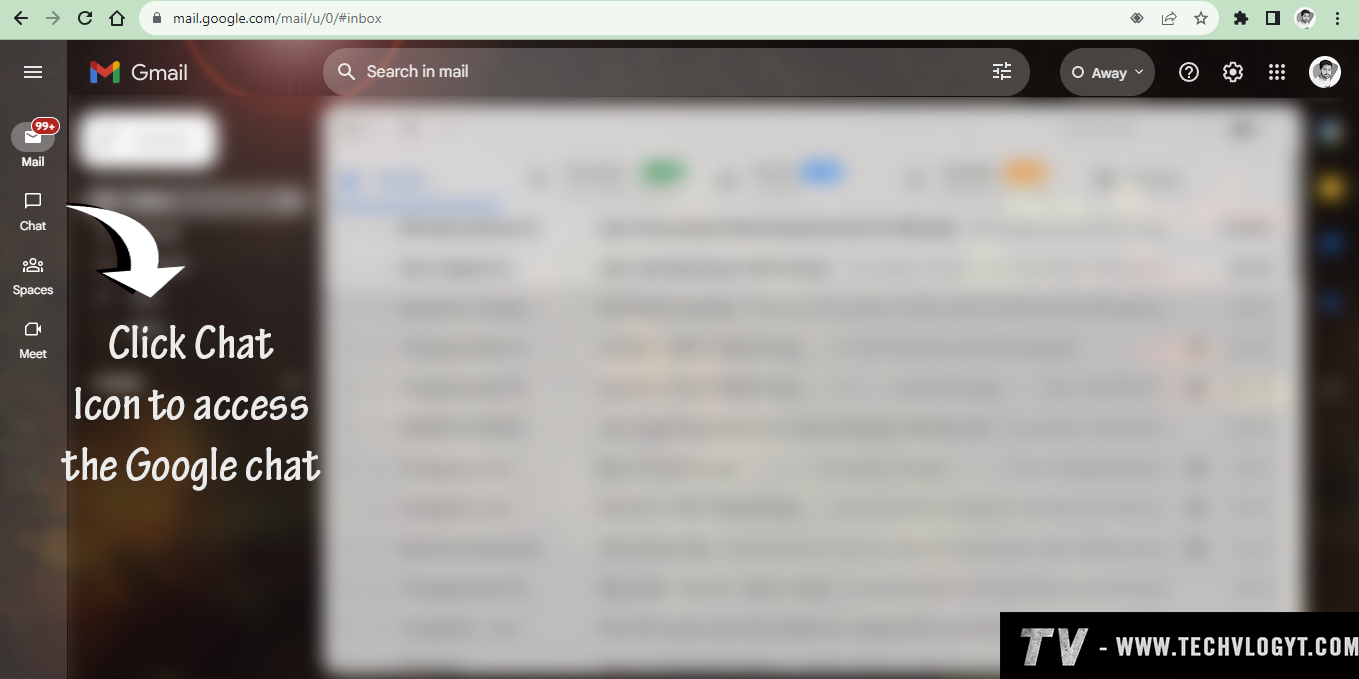
7) On the left side you can able to see the chat tab. Click the Chat icon, Now you can easily access Google Chat on Gmail.
No Comments Available..